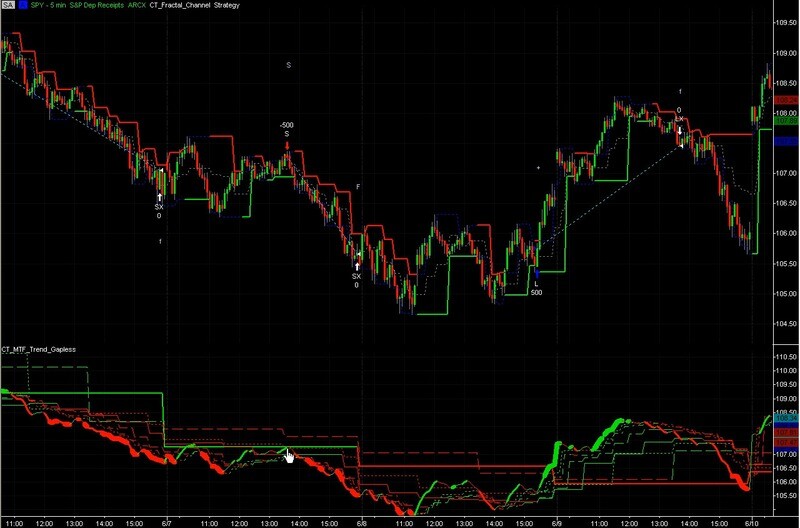

Fractal Channels • Multiple Time Frame Price Action • Time-Based Volume
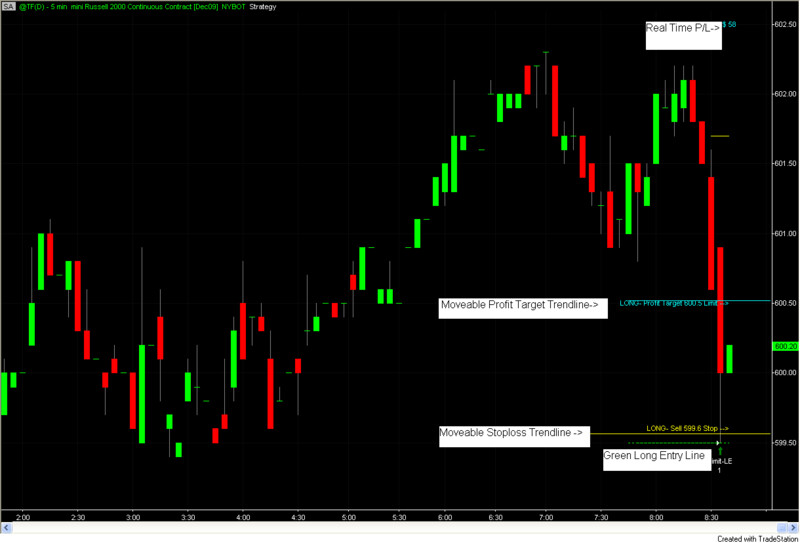
A strategy that looks profitable on paper but has not been properly tested is a liability, not an asset. This section covers the complete process for accurate TradeStation strategy backtesting — including how to set commissions and slippage correctly, how to avoid the most common testing errors that produce false results, and how to use automated position sizing to ensure every trade risks the correct amount relative to your account equity. The Position Sizing video demonstrates our automated approach in action.
Most traders use a fixed trade quantity for all trades — the same number of shares or contracts regardless of the actual risk on each trade. This is not intelligent risk management. Our dynamic visual chart-based trading strategy automates position sizing by combining your real-time actual trade risk with a fixed risk amount per trade. The result: every trade automatically risks the same percentage of account equity, regardless of instrument, time frame, or stop distance — without any manual calculation required.
Before you can trust a strategy's performance report, you must configure TradeStation to account for the real costs of trading. From your platform menu: Format Strategies > Properties For All > Position Slippage — enter the dollar amount of one tick per side for the instrument you are testing, and check "Per Share/Contract". Then fill in the commission field with your actual commission charges. Both steps must be completed before any optimization or performance report review, or your results will be overstated.
Recommended minimum account sizes by futures instrument: ES ($25,000), NQ ($25,000), CL ($15,000), GC ($15,000), currencies ($15,000). These figures reflect the capital needed to absorb normal drawdown periods without being forced out of a strategy prematurely.
Strategy testing done properly gives you confidence that a strategy is viable before you risk real capital. Strategy testing done incorrectly produces false hope — and real financial losses when the strategy fails in live trading. The most common testing errors are: not accounting for slippage and commission (overstates profit), over-optimizing on historical data (curve-fitting), using insufficient historical data, and not testing across multiple market conditions including trending and choppy periods.
The correct testing process: define your strategy rules in EasyLanguage, configure accurate commissions and slippage in TradeStation's strategy properties, backtest across a minimum of 2 years of data including different market environments, review the performance report with particular attention to max drawdown and the ratio of average winning to average losing trades, and only optimize within a small range of parameters to avoid curve-fitting.
Our Strategy Testing Tool is designed to support this process — it provides built-in performance analysis and lets you compare strategy results across different instruments and time frames with accurate cost inputs already configured.

Our indicators and trading systems are built by active traders, not software developers — every tool in this library exists because we needed it ourselves. That means each product solves a specific, real-world trading problem: the Fractal Channel Indicator gives you non-repainting support and resistance based on actual price structure, the MTF Price Action Indicator Set eliminates the need to manually correlate multiple charts, and the Risk Reward Indicator automates stop placement and position sizing on every trade.
Every indicator is built around multi-time-frame confirmation — the single most reliable edge available to independent traders. Our MTF suite covers RSI, MACD, ADX, Stochastic, VWAP, Floor Trader Pivots, and Fractal Channel, all displaying multiple time frames simultaneously on a single TradeStation chart. When a signal is confirmed across four, six, or eight time frames at once, the probability of a successful trade improves significantly over any single-time-frame analysis.
Our complete trading systems — the Trend Rider, Scalper Day Trading System, MTF Trend, Counter Trend, and MTF Consolidation Breakout — go beyond individual indicators. Each system combines RadarScreen scanning, multi-time-frame analysis, chart-based execution, and automated exit management into a fully integrated workflow. Your computer does the scanning; you make the trading decisions.
All products are instant digital downloads for TradeStation 10 and later, compatible with any market and any chart type. Every purchase includes a step-by-step installation guide, Learning Center video access, and email support. Future updates to all trading systems are included at no additional cost.