
Fractal Channels • Multiple Time Frame Price Action • Time-Based Volume
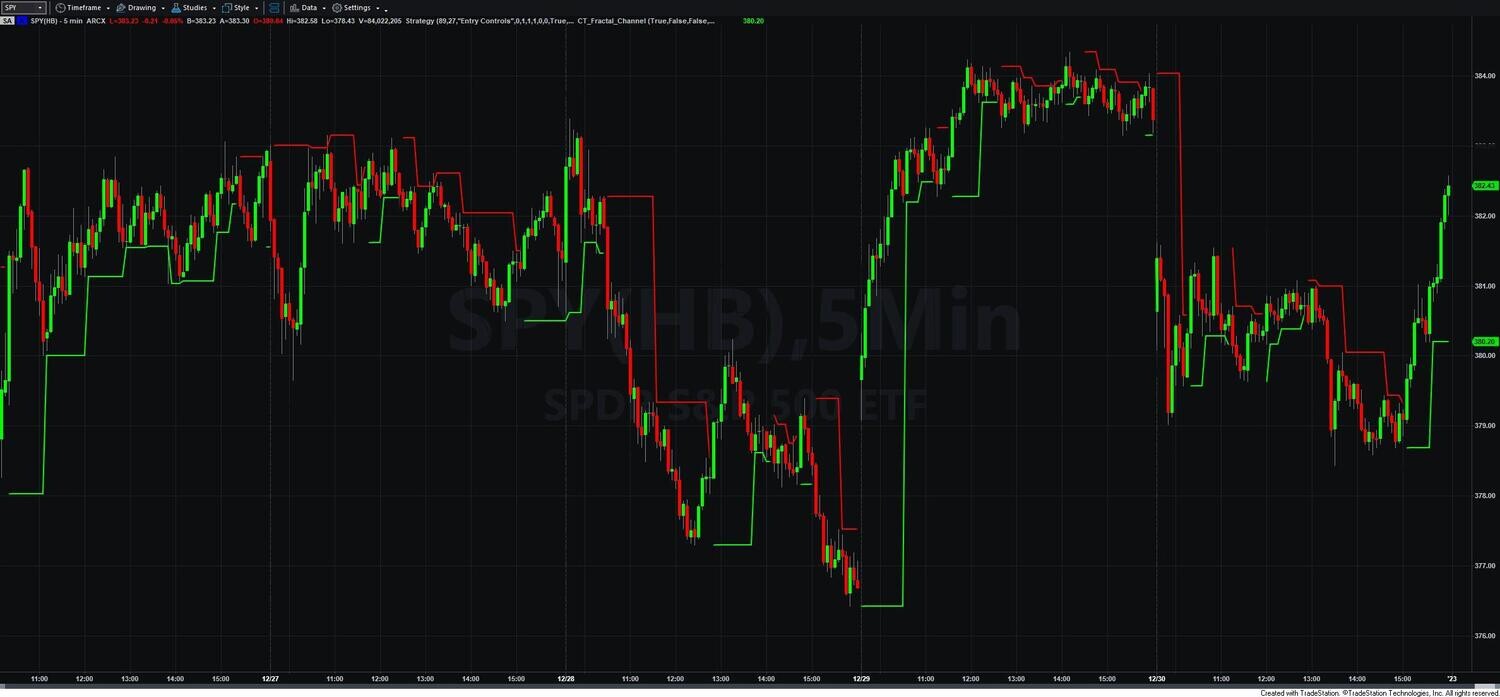
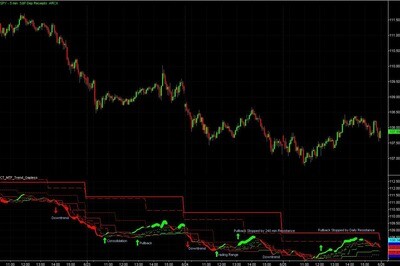
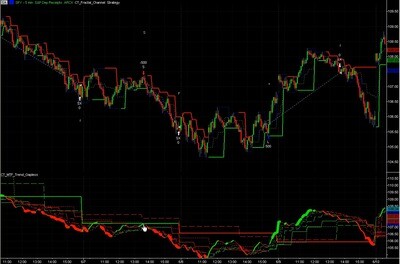
The Fractal Channel Indicator draws the market's current structural support and resistance levels directly on your TradeStation price chart. These levels are defined by the most recent confirmed fractal pivot highs and lows — the natural structural turning points in price — not by moving averages, floor trader pivots, or fixed lookback formulas.
A single color-coded line tells you the structural bias at a glance. When price closes above the fractal high, the bias turns bullish and a green line marks the active fractal low as support. When price closes below the fractal low, the bias turns bearish and a red line marks the active fractal high as resistance. The level updates automatically as new fractals form, always reflecting the most current market structure.
The indicator includes a spike filter that excludes bars with abnormally large ranges and significant wicks — preventing news events or data errors from generating misleading fractal levels. It also handles flat-top and flat-bottom patterns correctly, recognizing two-, three-, and four-bar consolidation highs and lows as valid fractal pivots. The result is a clean, reliable structural map of the market with no false signals from noise or anomalies.
A fractal pivot high forms when the prior bar's high is the highest point among the surrounding bars. A fractal pivot low forms when the prior bar's low is the lowest point. The indicator includes tie-handling logic for flat tops and flat bottoms — consecutive bars sharing the same high or low are recognized as valid fractal pivots, covering two-, three-, and four-bar patterns.
The spike filter identifies and excludes bars with an unusually large range, a small body, and a significant wick. This prevents news spikes or data anomalies from creating misleading fractal levels. The indicator tracks the four most recent fractal highs and lows at all times, giving it a broad view of recent structure for features like Consolidation Entry.
In the default Bias Lines Only mode, only the active fractal level is displayed — green for support during a bullish bias, red for resistance during a bearish bias. A second display mode shows both channel boundaries simultaneously with a midpoint line, useful for range-trading setups and volatility assessment. Optional features include adaptive stop loss reference lines (based on the same mechanics used in the Fractal Channel Exit Strategy) and consolidation entry levels that mark where a confirmed breakout would occur.
The Fractal Channel Indicator is built for active TradeStation traders who trade any of the following:
It is equally effective for scalpers on 1-minute and 5-minute charts, day traders on 15-minute and hourly charts, and swing traders on daily and weekly charts. The indicator includes settings optimized for each trading style.
Does the Fractal Channel Indicator repaint?
No. Once a channel boundary is established on a closed bar, it does not repaint. What you see after the bar closes is exactly what you would have seen in real time — making it reliable for both live trading and backtesting.
Can I use this indicator for scalping?
Yes. The indicator includes settings optimized for 1-minute and 5-minute charts. The channel boundaries update tick-by-tick on the current bar, giving scalpers precise entry and exit reference points even in fast-moving markets.
How is this different from Bollinger Bands or Keltner Channels?
Bollinger Bands and Keltner Channels are based on moving averages and statistical deviations — they lag price and do not respond to actual market structure. The Fractal Channel is derived from real fractal turning points in price, so it reflects the market's true support and resistance levels in real time, not a mathematical approximation of them.
How is this different from floor trader pivots?
Floor trader pivots are calculated once per session from the prior day's high, low, and close — they are static levels that do not respond to intraday price action. The Fractal Channel updates continuously throughout the session as new fractal pivots form, so the levels always reflect the current market structure rather than yesterday's prices.
How do I install the indicator in TradeStation?
After purchase you will receive an EasyLanguage (.eld) file. Import it through TradeStation via File > Import/Export > Import EasyLanguage. Full step-by-step instructions are included in the download. Most traders are up and running in under 10 minutes.
What is your refund policy?
All sales are final. We encourage you to review our product videos and chart examples in the Learning Center before purchasing so you can be confident the indicator fits your trading style. If you have a technical issue after purchase, our support team is here to help.
Is there a free trial?
We do not currently offer a free trial, but our Learning Center includes detailed video walkthroughs and chart examples across multiple markets so you can see exactly how the indicator performs before purchasing.


Our indicators and trading systems are built by active traders, not software developers — every tool in this library exists because we needed it ourselves. That means each product solves a specific, real-world trading problem: the Fractal Channel Indicator gives you non-repainting support and resistance based on actual price structure, the MTF Price Action Indicator Set eliminates the need to manually correlate multiple charts, and the Risk Reward Indicator automates stop placement and position sizing on every trade.
Every indicator is built around multi-time-frame confirmation — the single most reliable edge available to independent traders. Our MTF suite covers RSI, MACD, ADX, Stochastic, VWAP, Floor Trader Pivots, and Fractal Channel, all displaying multiple time frames simultaneously on a single TradeStation chart. When a signal is confirmed across four, six, or eight time frames at once, the probability of a successful trade improves significantly over any single-time-frame analysis.
Our complete trading systems — the Trend Rider, Scalper Day Trading System, MTF Trend, Counter Trend, and MTF Consolidation Breakout — go beyond individual indicators. Each system combines RadarScreen scanning, multi-time-frame analysis, chart-based execution, and automated exit management into a fully integrated workflow. Your computer does the scanning; you make the trading decisions.
All products are instant digital downloads for TradeStation 10 and later, compatible with any market and any chart type. Every purchase includes a step-by-step installation guide, Learning Center video access, and email support. Future updates to all trading systems are included at no additional cost.