
Fractal Channels • Multiple Time Frame Price Action • Time-Based Volume
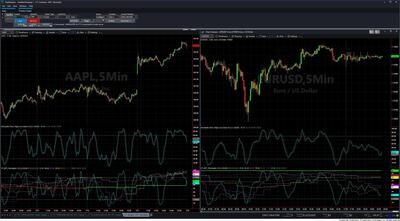
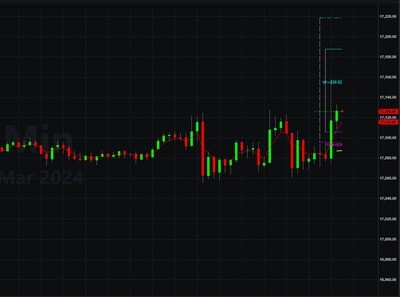
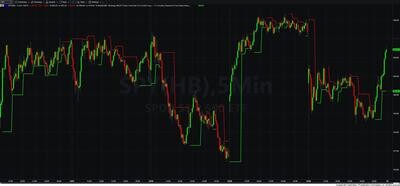
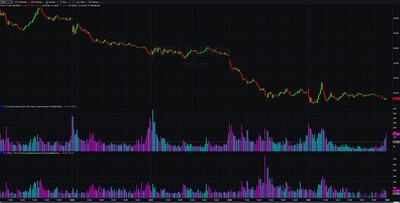
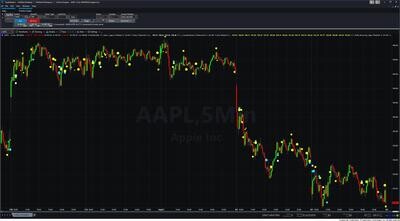
The MTF Fractal Channel Indicators display dynamic support and resistance channels — derived from pivot highs and pivot lows — from multiple timeframes simultaneously, plotted directly on your price chart at actual price levels. Each timeframe produces its own fractal channel line. When price breaks out of a channel, the line flips from resistance to support (or vice versa) and changes color. Stacking channels from multiple timeframes on one chart shows immediately which timeframes are aligned and which are in conflict, so you can time entries with higher-timeframe confirmation and use higher-timeframe channel levels as stop or target zones.
The package contains 7 indicators, each optimized for a specific chart type — scalping charts, intraday time-based charts, hourly charts, daily charts, and RadarScreen watchlist scanning. No single indicator tries to cover everything; each one is built for the timeframe structure that matches your chart.
The channel is built from confirmed pivot highs and lows. A pivot high forms when a bar's high exceeds both the bar before it and the bar after it (H[1] > H[2] AND H[1] > H[0]). A pivot low forms when a bar's low is less than both adjacent bars. The most recent pivot high becomes the TopLine (red, resistance); the most recent pivot low becomes the BottomLine (green, support).
Directional bias (LastBO): The channel tracks whether price has broken bullish or bearish. When bullish (+1), the green BottomLine is drawn — it represents active support. When bearish (−1), the red TopLine is drawn — it represents active resistance. A direction change is triggered by buffered levels inside the channel: price must close above 80% of the channel range (UpLine) to confirm a bullish breakout, or below 20% of the channel range (DownLine) to confirm a bearish breakout. This buffer prevents minor oscillations inside the channel from triggering premature direction flips.
Breakout signal: When direction changes, the prior bar's line is cleared for one bar (set to black, width 0), then the new direction line begins. This one-bar transition is the breakout event — the bar where price confirmed the new directional bias.
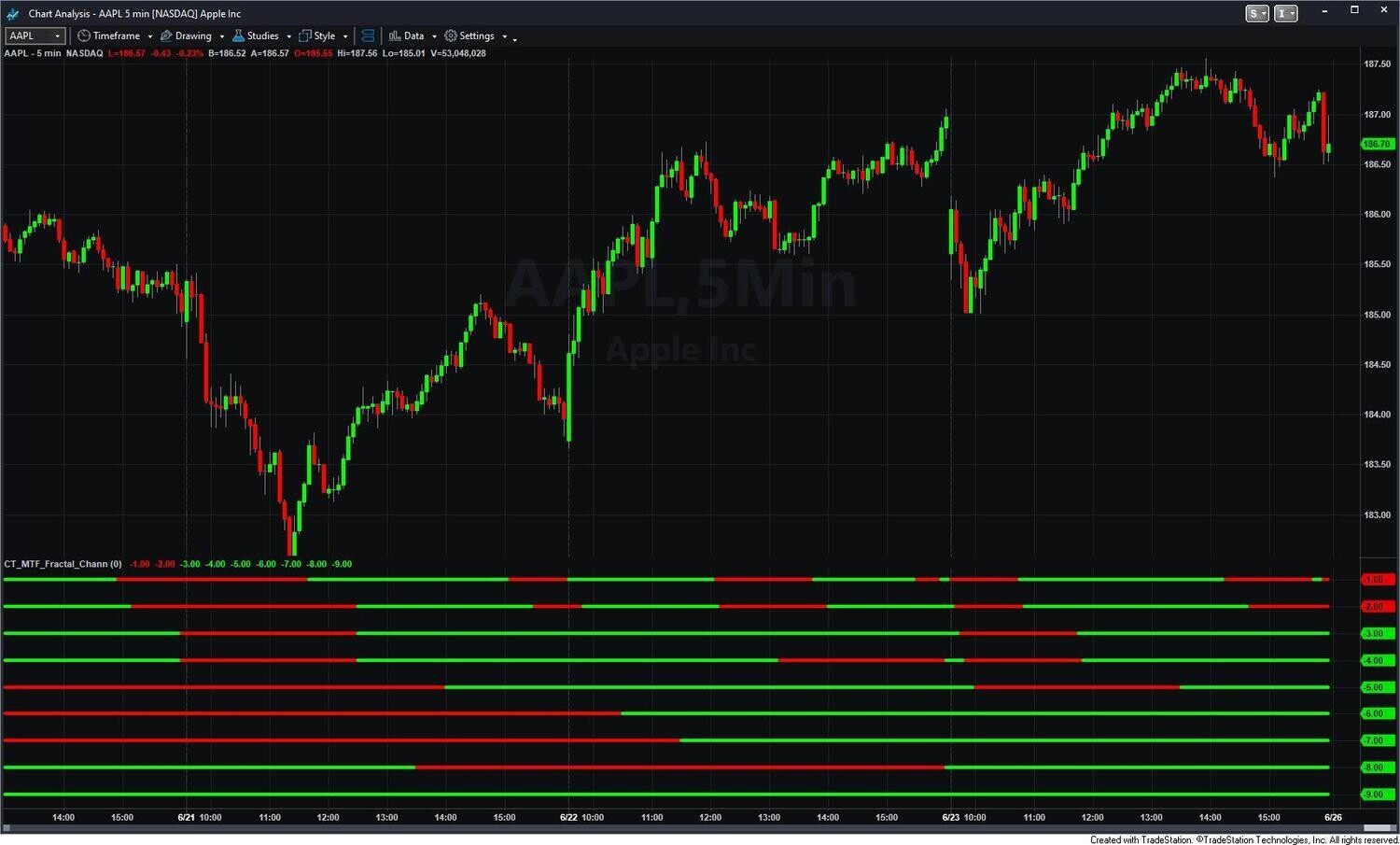
Reading multiple lines: All green lines stacked below price means all displayed timeframes are bullish and aligned — the highest-conviction long condition. Mixed lines (some green, some red) means timeframes are in conflict — use the longer-timeframe line as dominant context and wait for shorter timeframes to align before entering.
CT_MTF_Fractal_Channel_1-3_min — for 1, 2, and 3-minute intraday charts. Displays up to 9 fractal channel lines simultaneously: current bar interval, 6-min, 15-min, 20-min, 30-min, 60-min, 120-min, 240-min, and Daily. The broadest timeframe stack in the set — designed for scalpers who need fast-timeframe structure plus full daily context.
CT_MTF_Fractal_Channel_5_Min — for 5-minute intraday charts. Same 9-timeframe stack as the 1-3 min variant, calibrated for 5-minute chart data. Includes a Chart_Set_Width input to control line thickness across all plots.
CT_MTF_Fractal_Draw — the most flexible chart indicator in the set. Works on any intraday time-based chart from 1-minute through 60-minute. Each of the 9 timeframes (current bar, 10, 15, 20, 30, 60, 120, 240-minute, Daily) can be independently enabled or disabled, so you display only the timeframes relevant to your analysis. Key option: Show_Bias_Only_On (default On) — draws the fractal line only on the bar when direction changes, rather than continuously on every bar. This keeps the chart clean and makes breakout events stand out. An optional 21-period Super Smoother price line can also be overlaid.
CT_MTF_Fractal_Channel_Multiple — for 60-minute charts with configurable timeframe spacing. Builds higher-timeframe bars by counting multiples of the current 60-minute bar. Default: Plot 2 = 3× (180-min/3-hr), Plot 3 = 6× (360-min/6-hr), Plot 4 = 9× (540-min/9-hr), Plot 5 = 12× (Daily), Plot 6 = 15× (5-Day), Plot 7 = 20× (20-Day/Monthly). All multiples are configurable. Includes direction-change alerts for the current bar fractal and higher-timeframe fractals.
CT_MTF_Fractal_Channel_Hourly — for 60-minute charts with fixed timeframes. Displays 60-min, 120-min, 240-min, Daily, 5-Day, and 20-Day (monthly) fractal channels. No multiple configuration required — use this when you want a fixed, predictable timeframe structure without the setup overhead of the Multiple variant.
CT_MTF_Fractal_Channel_Daily — for daily charts. Builds higher-timeframe bars using day-count multiples. Default: 3-Day, 6-Day, 9-Day, 12-Day, 15-Day (3-Week), and 20-Day (Monthly). All multiples configurable. Gives position traders and investors weekly and monthly channel context directly on the daily chart.
CT_MTF_Fractal_Chann — for RadarScreen and Scanner. Does not draw lines on a price chart. Instead, displays color-coded directional columns in RadarScreen — one column per timeframe — showing whether each fractal channel is bullish (green) or bearish (red) for each symbol in your watchlist. Covers 5-min, 10-min, 15-min, 20-min, 30-min, 60-min, 120-min, 240-min, and Daily columns; lower-timeframe columns auto-populate only for matching chart intervals. Valid on intraday time-based intervals up to 60-minute only.
The MTF Fractal Channel Indicators are for TradeStation traders who use fractal pivot structure as their primary support and resistance framework and want to see that structure across multiple timeframes simultaneously. Specifically:
Works on any TradeStation instrument. Asset class is auto-detected from the symbol: futures use standard session boundaries, equities end at 16:00, and forex uses 24-hour boundaries ending at 16:59 — no manual configuration required.
Which indicator should I start with?
Match the indicator to your chart interval. For 1–3 minute scalping, use CT_MTF_Fractal_Channel_1-3_min — it gives you all 9 timeframes including the critical 6-minute level. For 5-minute charts, use CT_MTF_Fractal_Channel_5_Min. For any intraday chart between 1 and 60 minutes where you want to choose which timeframes to display, use CT_MTF_Fractal_Draw. For 60-minute charts, use CT_MTF_Fractal_Channel_Hourly (fixed timeframes) or CT_MTF_Fractal_Channel_Multiple (configurable). For daily charts, use CT_MTF_Fractal_Channel_Daily. For RadarScreen watchlist scanning, use CT_MTF_Fractal_Chann.
How does the fractal pivot detection work?
A pivot high is confirmed when a bar's high exceeds both the preceding bar's high and the following bar's high (H[1] > H[2] AND H[1] > H[0]). A pivot low is confirmed when a bar's low is less than both adjacent bars. Because a pivot requires the bar after it to close, the signal is confirmed one bar after the pivot forms — this is standard non-repainting behavior. Once confirmed, the pivot level is fixed.
What triggers a direction change?
The channel uses buffered trigger levels to prevent premature flips. To confirm a bullish breakout, price must close above the UpLine — the BottomLine plus 80% of the total channel range. To confirm a bearish breakout, price must close below the DownLine — the BottomLine plus 20% of the channel range. When a direction change fires, the prior bar's line is cleared for one bar (set to black) and the new direction line begins. This one-bar black transition is the breakout signal bar.
What does Show_Bias_Only_On do in CT_MTF_Fractal_Draw?
When Show_Bias_Only_On is set to 1 (default), each fractal line is drawn only on the bar where the direction changes — not continuously on every bar. This produces a much cleaner chart: instead of a continuous horizontal line at each timeframe's support or resistance, you see a short marker at each breakout event. Setting it to 0 draws the active level as a continuous line on every bar, which is useful if you want to see the current level's exact price at all times.
How do I use the multiple green or red lines together?
All green lines stacked below price means all displayed timeframes are bullish and aligned — this is the highest-conviction long condition. All red lines above price is the highest-conviction short condition. Mixed lines (some green below price, some red above) mean timeframes are in conflict. In this case, treat the longest-timeframe line as dominant context and wait for shorter timeframes to align before entering. When a shorter-timeframe line flips to match the direction of the longer timeframes, that is typically your entry signal.
Does CT_MTF_Fractal_Chann work in RadarScreen on any bar type?
No — CT_MTF_Fractal_Chann is valid only on intraday time-based intervals up to 60-minute. Applying it to tick, volume, range, or daily bars in RadarScreen will generate a runtime error. For RadarScreen scanning you must set the bar interval to a standard minute-based interval (1, 5, 10, 15, 30, or 60 min).
Does this indicator repaint?
No. Pivot detection requires confirmation from the bar after the pivot, so all channel levels are based on confirmed closed bars. Once a bar closes, the fractal levels derived from it are fixed. The current forming bar updates in real time until it closes — standard behavior, not repainting.
How do I install it in TradeStation?
After purchase you will receive EasyLanguage (.eld) files and workspace (.tsw) files. Import the EasyLanguage files via File > Import/Export > Import EasyLanguage, then open the workspace file that matches your asset class (equities, forex, or futures). Full setup instructions are included. Most traders are up and running in under 15 minutes.
What is your refund policy?
All sales are final. We encourage you to review our product videos and chart examples in the Learning Center before purchasing. If you have a technical issue after purchase, our support team is here to help.


Our indicators and trading systems are built by active traders, not software developers — every tool in this library exists because we needed it ourselves. That means each product solves a specific, real-world trading problem: the Fractal Channel Indicator gives you non-repainting support and resistance based on actual price structure, the MTF Price Action Indicator Set eliminates the need to manually correlate multiple charts, and the Risk Reward Indicator automates stop placement and position sizing on every trade.
Every indicator is built around multi-time-frame confirmation — the single most reliable edge available to independent traders. Our MTF suite covers RSI, MACD, ADX, Stochastic, VWAP, Floor Trader Pivots, and Fractal Channel, all displaying multiple time frames simultaneously on a single TradeStation chart. When a signal is confirmed across four, six, or eight time frames at once, the probability of a successful trade improves significantly over any single-time-frame analysis.
Our complete trading systems — the Trend Rider, Scalper Day Trading System, MTF Trend, Counter Trend, and MTF Consolidation Breakout — go beyond individual indicators. Each system combines RadarScreen scanning, multi-time-frame analysis, chart-based execution, and automated exit management into a fully integrated workflow. Your computer does the scanning; you make the trading decisions.
All products are instant digital downloads for TradeStation 10 and later, compatible with any market and any chart type. Every purchase includes a step-by-step installation guide, Learning Center video access, and email support. Future updates to all trading systems are included at no additional cost.