
Fractal Channels • Multiple Time Frame Price Action • Time-Based Volume
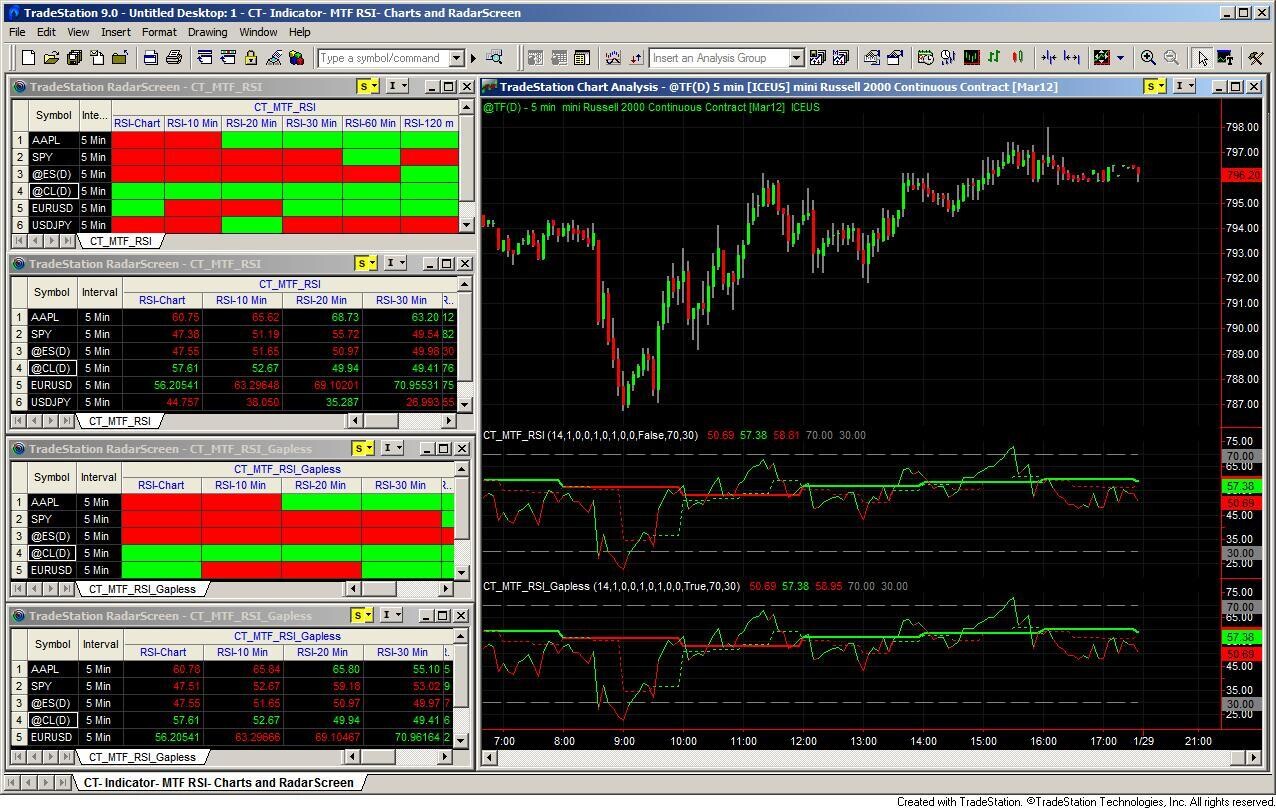
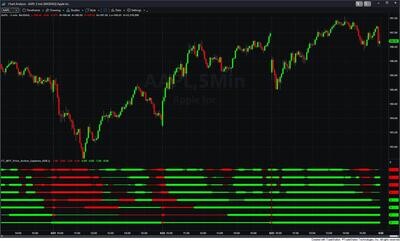
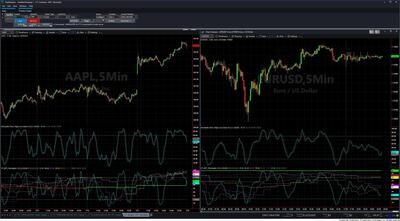
The MTF RSI Indicator brings multi-timeframe RSI readings onto a single chart or RadarScreen. Instead of switching between chart intervals to check the RSI on the 10-minute, 30-minute, 60-minute, and daily, you see all of them at once — each as a separately colored line in the indicator's subchart, or as a color-coded cell in RadarScreen. When short-term RSI recovers from oversold while longer-timeframe RSI is still above 50, you have a pullback setup with structural confirmation. When all timeframes roll over from overbought together, the move has momentum on every horizon.
The product ships with three indicators covering every chart type and market condition:
All three indicators use Wilder exponential smoothing (smoothing factor SF = 1 / RSI_Length). On each completed higher-timeframe bar:
The result ranges from 0 to 100, centered at 50. All up moves = RSI 100; all down moves = RSI 0; balanced = RSI 50. Default: RSI_Length = 14, overbought threshold UpperLine = 70, oversold threshold LowerLine = 30.
Each line is color-coded by direction: Green when the RSI is rising from the prior bar, Red when it is falling.
Both indicators plot up to eight RSI lines — one for each of the following clock intervals:
| Line | Timeframe |
|---|---|
| RSI-Chart | Current chart interval |
| RSI-10 Min | 10 minutes |
| RSI-20 Min | 20 minutes |
| RSI-30 Min | 30 minutes |
| RSI-60 Min | 60 minutes |
| RSI-120 m | 120 minutes |
| RSI-240 m | 240 minutes |
| RSI-Daily | Daily (chart only — not shown in RadarScreen) |
The indicator automatically suppresses lines that would be redundant on wider chart intervals. For example, the 10-minute line only displays on 1-, 2-, 5-, or 10-minute charts; the 30-minute line is visible up to 30-minute charts. This keeps the subchart readable regardless of which interval you are using.
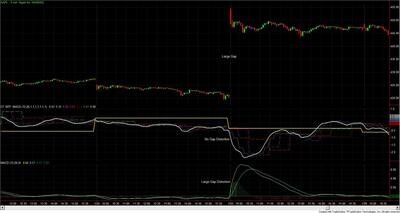
CT_MTF_RSI vs. CT_MTF_RSI_Gapless: CT_MTF_RSI computes RSI on raw close-to-close changes. When a market opens with a large gap, that gap registers as a single large change and can push RSI to an extreme even if intraday price action is calm. CT_MTF_RSI_Gapless accumulates and removes the overnight gap from OHLC values before each calculation, so the RSI reflects only within-session price movement. Use the gapless variant on equity index futures (ES, NQ), energy futures (CL, NG), or any instrument where overnight gaps are large relative to the intraday range.
Requires an intraday (minute-based) chart. Both indicators will raise an error on daily or non-time-based charts. Allow at least 200 bars of history before relying on the higher-timeframe lines.
CT_MTF_RSI_Multiple_Gapless builds higher-timeframe RSI from bar-count multiples of the base chart rather than aligning to clock times. This makes multi-timeframe RSI available on any chart type — including tick, volume, and range bars where clock-based intervals don't apply. Gapless price is always applied.
Eight lines are available, labeled 1X through 8X. Line 1X is the base chart; lines 2X through 8X close after Multiple_N base bars complete (defaults: 3 / 6 / 9 / 12 / 15 / 20 / 25). Lines 2X through 8X require 200 completed higher-timeframe bars before they display.
On a 5-minute chart with default multiples: 2X = 15 min, 3X = 30 min, 5X = 60 min. To match standard clock intervals precisely, adjust the multiples accordingly — for example, on a 5-minute chart set Multiple_4 = 12 to get a 60-minute equivalent, and Multiple_7 = 48 to get a 4-hour equivalent.
All three indicators work in RadarScreen. With Radar_Green_Red_Only = True (the default), each RSI line becomes a color-coded cell — green when the RSI on that timeframe is rising, red when it is falling. This gives an at-a-glance directional read across a watchlist without opening individual charts. Set Radar_Green_Red_Only = False to display the numeric RSI value instead of background coloring. Note: the daily RSI line does not appear in RadarScreen — it is chart-only.
The 50 level: RSI above 50 means recent up-moves have been larger than recent down-moves on that timeframe. When a longer-timeframe RSI crosses above 50, momentum has shifted to the upside structurally. Watching multiple timeframe lines cross 50 in sequence — shorter timeframes first, longer timeframes confirming — identifies the momentum shift as it builds.
Multi-timeframe alignment: When all lines are rising and above 50, or all falling and below 50, the trend has directional support across timeframes. The most reliable setups are:
RSI can remain overbought for extended periods during a strong trend. The 70/30 levels work best as alert thresholds and entry-screening filters, not as direct reversal signals by themselves.
How many indicators are included?
Three: CT_MTF_RSI (clock-based, standard price), CT_MTF_RSI_Gapless (clock-based, gapless price), and CT_MTF_RSI_Multiple_Gapless (bar-count multiples, gapless price, any chart type). All three work on both charts and RadarScreen.
Which variant should I use?
Use CT_MTF_RSI on time-based charts with markets that have small overnight gaps. Use CT_MTF_RSI_Gapless on time-based charts for futures (ES, NQ, CL) or currency pairs where large overnight gaps would distort the RSI reading. Use CT_MTF_RSI_Multiple_Gapless on tick, volume, or range bar charts — or any time you want higher-timeframe readings proportional to your base chart rather than fixed to the clock.
Are the timeframes configurable?
CT_MTF_RSI and CT_MTF_RSI_Gapless use fixed clock intervals (10, 20, 30, 60, 120, 240 minutes, and daily) with individual on/off toggles per line. CT_MTF_RSI_Multiple_Gapless has fully configurable multiples via the Multiple_2 through Multiple_8 inputs — you define the higher-timeframe relationships in terms of bar counts.
What do the colors mean?
Green means that timeframe's RSI rose from the previous bar. Red means it fell. In RadarScreen with Radar_Green_Red_Only = True, the same colors appear as cell backgrounds.
Does this indicator repaint?
No. All calculations are based on confirmed closed bars. Once a bar closes, the RSI value is fixed for all timeframes.
How does this work with other indicators in the product line?
A natural combination is to use the MTF RSI to identify oversold conditions as price approaches a Fractal Channel support level — when RSI is oversold on multiple timeframes at a structural level, the momentum and structural cases for a long setup align. MTF RSI can also complement the Trend Structure Indicator: use Trend Structure to establish the directional bias and MTF RSI to time the pullback entry when shorter-timeframe RSI lifts from oversold within an uptrend.
What is your refund policy?
All sales are final. Review our product documentation and the Learning Center before purchasing. If you have a technical issue after purchase, contact [email protected].


Our indicators and trading systems are built by active traders, not software developers — every tool in this library exists because we needed it ourselves. That means each product solves a specific, real-world trading problem: the Fractal Channel Indicator gives you non-repainting support and resistance based on actual price structure, the MTF Price Action Indicator Set eliminates the need to manually correlate multiple charts, and the Risk Reward Indicator automates stop placement and position sizing on every trade.
Every indicator is built around multi-time-frame confirmation — the single most reliable edge available to independent traders. Our MTF suite covers RSI, MACD, ADX, Stochastic, VWAP, Floor Trader Pivots, and Fractal Channel, all displaying multiple time frames simultaneously on a single TradeStation chart. When a signal is confirmed across four, six, or eight time frames at once, the probability of a successful trade improves significantly over any single-time-frame analysis.
Our complete trading systems — the Trend Rider, Scalper Day Trading System, MTF Trend, Counter Trend, and MTF Consolidation Breakout — go beyond individual indicators. Each system combines RadarScreen scanning, multi-time-frame analysis, chart-based execution, and automated exit management into a fully integrated workflow. Your computer does the scanning; you make the trading decisions.
All products are instant digital downloads for TradeStation 10 and later, compatible with any market and any chart type. Every purchase includes a step-by-step installation guide, Learning Center video access, and email support. Future updates to all trading systems are included at no additional cost.