
Fractal Channels • Multiple Time Frame Price Action • Time-Based Volume
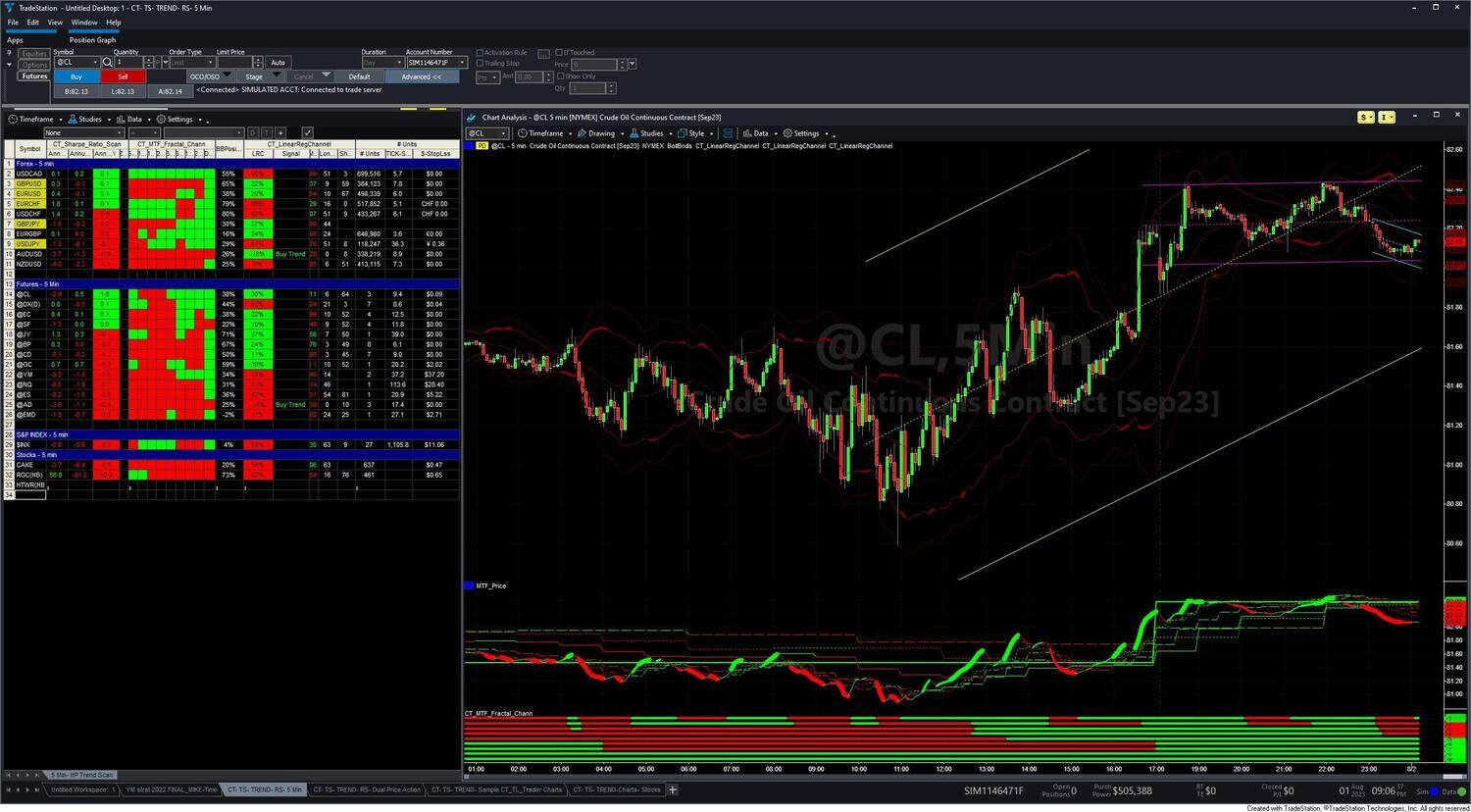
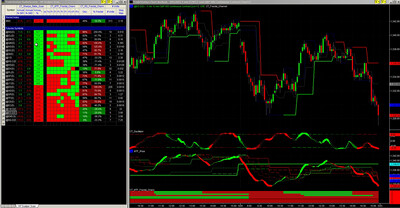
The MTF Trend Trading System is a complete TradeStation toolkit built around one trading principle: trade in the direction of the dominant trend across multiple timeframes. The package contains 19 components organized across four functional groups — chart indicators for trend analysis, RadarScreen indicators for watchlist scanning, a semi-automated order entry strategy, and diagnostic utilities. Each component covers a specific phase of the trading process, from identifying candidates in RadarScreen through reading multi-timeframe structure on a chart to executing with automatic position sizing.
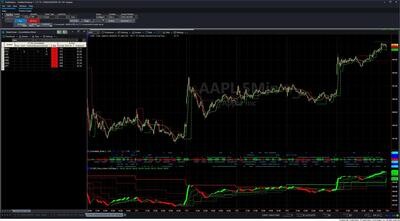
The core workflow: RadarScreen scans your watchlist continuously and surfaces symbols with favorable trend alignment, oscillator positioning, and Bollinger Band structure. You open a chart for each candidate, apply the chart indicators to read multi-timeframe price action, fractal support/resistance, momentum, and swing structure simultaneously, then execute via CT_TL_Trader — a strategy that fires your order automatically when price reaches the draggable entry line you place on the chart.
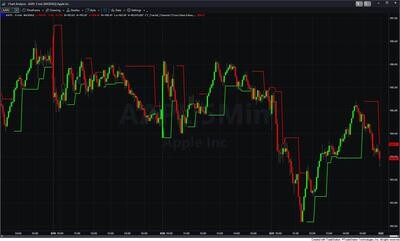
CT_MTF_Price_Action / CT_MTF_Price_Gapless — the multi-timeframe trend backbone. Both display Super Smoother price lines at seven timeframes on a single intraday chart (current interval plus 15, 20, 30, 60, 120, 240-minute, and Daily). Color shows direction: green = rising, red = falling. The current-interval line uses SP Harmony — a composite score across six Super Smoother lengths — to modulate line width: thick when all lengths agree, thin or absent when mixed. The two versions differ in how they handle overnight gaps: CT_MTF_Price_Action uses adaptive gapless correction (activates for ~80 bars after a gap-against-trend) and is preferred for futures; CT_MTF_Price_Gapless applies full gapless correction on every bar and is preferred for stocks and ETFs where overnight gaps are frequent.
CT_Price_Action_Dual — the primary entry signal indicator. Plots two SP Harmony price lines on the same chart: a fast line (Speed 120, cyan/magenta) and a slow line (Slow_Speed 20, green/red). SP Harmony modulates the fast line's width. The relationship between the two drives the signal logic: fast crosses above slow while slow is rising = high-confidence long; fast turns up after a pullback while slow is already rising = momentum re-entry. Alerts fire on crossovers, pullback re-entries, and momentum setups independently.
CT_Oscillator — a Stochastic RSI momentum oscillator. Applies a Stochastic calculation to RSI values, normalizing to a 0–1 range and rescaling to a ±10 oscillator. An Adaptive Moving Average (fractal dimension-based) tracks the underlying trend; AMA direction feeds into the SP Harmony score, which controls line color and thickness: thick green = all SP lengths and AMA pointing up (maximum upward momentum), dark green = uptrend with oscillator pulling back, thick red = all pointing down, dark red = downtrend with oscillator bouncing. Horizontal reference lines at +8 (sell zone) and −8 (buy zone) mark statistical extremes.
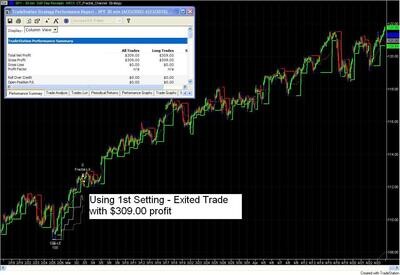
CT_Fractal_Channel — structural support and resistance from confirmed fractal pivot highs and lows. Tracks whether price is above the low fractal (bullish bias) or below the high fractal (bearish bias) and colors lines accordingly — bright when active, faded when inactive. Optional features: Stop Loss Suggestions (draws yellow standard buffer and brown volatile buffer lines that scale upward as the trade becomes more profitable), Consolidation Entry (breakout levels above fractal highs and below fractal lows), and Average Range Buffer.
CT_MTF_Fractal_Chann — array-based multi-timeframe fractal channels synthesized from a single intraday chart. Maintains separate fractal high/low levels, LastBO direction, and channel boundaries for nine timeframes simultaneously (current, 10, 15, 20, 30, 60, 120, 240-minute, and Daily). High-probability setups show fractal channels aligned bullish or bearish across at least three timeframes.
CT_BB_Signals — counter-trend Bollinger Band extreme setups. Monitors three SD levels (±1, ±2, ±3) from a 20-bar mean. When price touches or exceeds the ±2 SD band, the indicator enters a setup state and begins tracking a Hull Moving Average trailing trigger level. When price pulls back through the trigger, an entry signal is marked with a colored dot (cyan for long, magenta for short). Designed to be paired with CT_BollingerBands3L, which draws the three-level band framework on the price panel.
CT_MTF_SwingPoints — ZigZag swing structure at five sensitivity levels (default 0.2%, 0.4%, 0.6%, 0.8%, 1.0%). Each level returns +1 (last swing up) or −1 (last swing down), capturing everything from minor wiggles to significant structural swings. ZigZag lines plot on the price panel; a sub-panel shows five color-coded bars. On RadarScreen, five columns show direction at each sensitivity level per symbol.
CT_LinearRegChannel — linear regression channel with ±2 standard deviation boundaries over a 144-bar lookback. Tracks price position within the channel and alerts on midline crosses and boundary touches. Works on charts, RadarScreen, and Scanner.
CT_Price_Action_Dual_RS — RadarScreen version of CT_Price_Action_Dual. Shows fast and slow trend line directions as two colored columns per symbol (dark green = up, dark red = down). Screen for both columns matching to identify strong trend candidates.
CT_RS_Oscillator — RadarScreen Stochastic RSI. Single colored cell per symbol: dark red = oscillator ≥ 0.70 (overbought), dark green = ≤ 0.30 (oversold), black = neutral. Alerts on threshold crosses.
CT_BB_Signals_RS — RadarScreen Bollinger Band extreme indicator. Single colored cell showing price position within the 20-bar ±2 SD band: dark red = near upper extreme (≥ 0.70), dark green = near lower extreme (≤ 0.30). Use to find symbols setting up for counter-trend entries.
CT_RS_Swing_Trade_Setups — EMA crossover tracking for swing setups. Uses a 17-bar fast EMA and 43-bar slow EMA. Displays six columns per symbol: current EMA direction (+1/−1), bars since the current crossover, count of bars where close was above the slow EMA, count below, prior trend direction, and prior trend bar count. Measures the strength and duration of the current setup, not just its direction.
CT_RS_Position_Size — volatility-adaptive position sizing calculator. Computes recommended trade size from your account balance, percent-at-risk, and the symbol's average price range over the last four days. Displays three columns: recommended units, stop loss distance in ticks/pips, and stop loss in dollars. Example: $30,000 balance at 1% risk ($300) with a $1.50 average stop distance = 200 shares.
CT_Sharpe_Ratio_Scan — risk-adjusted performance ranking at three lookbacks: 13 bars (short-term), 63 bars (medium-term), and 251 bars (approximately one trading year). High positive Sharpe ratios identify symbols delivering strong returns relative to volatility — the strongest trend candidates in your watchlist.
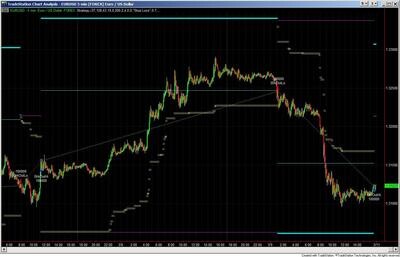
CT_TL_Trader is a semi-automated order entry strategy that fires orders from draggable chart lines. You place up to three lines on the chart: Line 1 (primary entry), Line 2 (secondary entry / scale-in), and Line 3 (thick band for immediate market order). Line color encodes order status — white = waiting, dark green = buy stop pending, dark red = sell short stop pending, green = buy limit pending, red = sell short limit pending, yellow = stop loss, cyan = profit target, magenta = go flat. The strategy fires the corresponding order automatically when price crosses each line.
Two position sizing modes: Fixed (set quantity) or Dynamic (calculates size from account balance, percent-at-risk, and the distance between your entry line and stop loss line). Live trading auto-sync reads actual open position data from your TradeStation account — quantity, open P&L, average entry price — and keeps the on-chart display synchronized. On-chart readout shows trade quantity, dollar amount at risk, open profit, and reward-to-risk ratio updating in real time.
The MTF Trend Trading System is for TradeStation traders who want to trade directional trend setups with systematic multi-timeframe discipline. It is particularly valuable for:
What is the difference between CT_MTF_Price_Action and CT_MTF_Price_Gapless?
Both display seven-timeframe Super Smoother price lines on a single chart using the same SP Harmony width logic. The difference is gapless correction: CT_MTF_Price_Action uses adaptive correction (activates only when a gap moves against the current trend direction) and is best for futures and instruments with continuous overnight trading. CT_MTF_Price_Gapless applies full gapless correction on every bar and is the preferred choice for stocks and ETFs, where frequent overnight gaps would otherwise cause false trend direction changes at the open.
How does CT_Price_Action_Dual generate entry signals?
The indicator plots a fast line (Speed 120) and a slow line (Slow_Speed 20). The fast line is cyan when rising and magenta when falling; the slow line is green when rising and red when falling. The most reliable signal is the fast line crossing above the slow line while the slow line is already rising — the fast line is joining an established uptrend. A second setup is the pullback re-entry: the fast line turns up while the slow line is already rising, signaling that a temporary pullback has ended and the trend is resuming. SP Harmony width on the fast line tells you how much conviction is behind the signal — enter on thick lines, treat thin lines with caution.
What does CT_Oscillator measure and how do I use it?
CT_Oscillator is a Stochastic RSI — it applies a Stochastic calculation to RSI values, normalizing the result to a ±10 oscillator. An Adaptive Moving Average (fractal dimension-based) tracks the underlying price trend and feeds into the SP Harmony score, which controls line color: thick green = all SP lengths and AMA pointing up (maximum upward momentum), dark green = uptrend but oscillator pulling back. The most reliable entries occur when the oscillator crosses above the −8 buy line during an established uptrend (pullback re-entry) while CT_Price_Action_Dual and CT_MTF_Price_Action confirm the same direction.
How does CT_TL_Trader execute trades from chart lines?
You drag the white entry line to your planned entry price. When price approaches, the line changes color to indicate the pending order type (dark green = buy stop, dark red = sell short stop, green = buy limit, red = sell short limit). When price crosses the line, the order fires automatically. You can pre-position a stop loss line (yellow) and profit target (cyan) before the trade executes. With Dynamic position sizing, the strategy calculates trade size from your account balance, percent-at-risk, and the distance between your entry and stop lines — so position size automatically reflects the risk on each specific setup.
How does CT_RS_Position_Size calculate trade size?
It uses three inputs: your account balance, the percentage you are willing to risk per trade, and the symbol's recent volatility (average price range over the last four days times a configurable multiplier). Dollar risk ÷ volatility-based stop distance = recommended position size. For example: $30,000 account, 1% risk ($300), symbol with a $1.50 per-share stop distance = 200 shares. The stop distance also displays in ticks/pips and dollars so you can verify it before entering.
Is this system better for day trading or swing trading?
Both are fully supported. Day traders typically use 5-minute charts with the RadarScreen scans set to 5-minute and 30-minute intervals to catch intraday trend setups. Swing traders use 60-minute and daily charts with the CT_MTF_Price_Gapless indicator for stocks. The 13 included workspace files provide pre-configured setups for both approaches across stocks, indexes, energy futures, and currencies — no setup from scratch required.
How do I install it in TradeStation?
After purchase you will receive EasyLanguage (.eld) files and workspace (.tsw) files. Import the EasyLanguage files via File > Import/Export > Import EasyLanguage, then open the provided workspace files. Written trading rules and training videos walk through every component and the complete workflow from RadarScreen scan to chart analysis to order execution.
What is your refund policy?
All sales are final. We encourage you to review our product videos and chart examples in the Learning Center before purchasing. If you have a technical issue after purchase, our support team is here to help.


Our indicators and trading systems are built by active traders, not software developers — every tool in this library exists because we needed it ourselves. That means each product solves a specific, real-world trading problem: the Fractal Channel Indicator gives you non-repainting support and resistance based on actual price structure, the MTF Price Action Indicator Set eliminates the need to manually correlate multiple charts, and the Risk Reward Indicator automates stop placement and position sizing on every trade.
Every indicator is built around multi-time-frame confirmation — the single most reliable edge available to independent traders. Our MTF suite covers RSI, MACD, ADX, Stochastic, VWAP, Floor Trader Pivots, and Fractal Channel, all displaying multiple time frames simultaneously on a single TradeStation chart. When a signal is confirmed across four, six, or eight time frames at once, the probability of a successful trade improves significantly over any single-time-frame analysis.
Our complete trading systems — the Trend Rider, Scalper Day Trading System, MTF Trend, Counter Trend, and MTF Consolidation Breakout — go beyond individual indicators. Each system combines RadarScreen scanning, multi-time-frame analysis, chart-based execution, and automated exit management into a fully integrated workflow. Your computer does the scanning; you make the trading decisions.
All products are instant digital downloads for TradeStation 10 and later, compatible with any market and any chart type. Every purchase includes a step-by-step installation guide, Learning Center video access, and email support. Future updates to all trading systems are included at no additional cost.