
Fractal Channels • Multiple Time Frame Price Action • Time-Based Volume
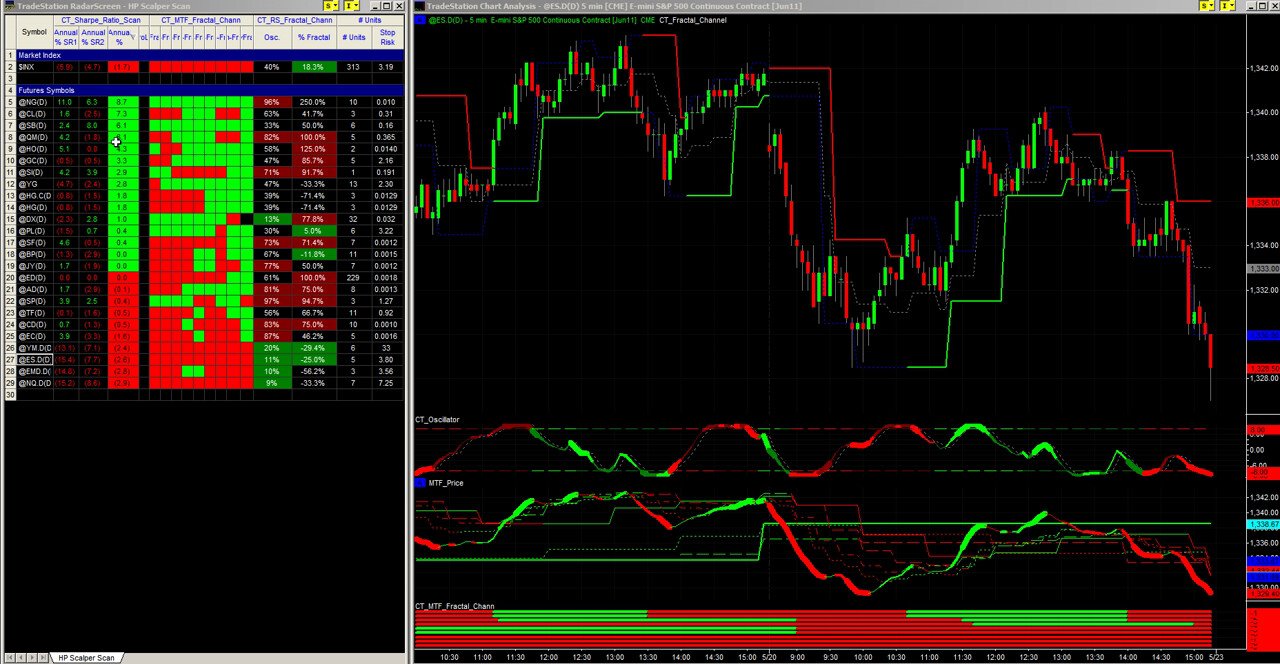
The Scalper Day Trading System is a complete intraday trading toolkit built around a single structural framework: the Fractal Channel. Price oscillates between fractal support and fractal resistance. When price breaks above the high fractal, the channel turns bullish and you look for long entries on pullbacks to the support level. When price breaks below the low fractal, the channel turns bearish and you look for short entries on rallies to the resistance level. Every other component in the system — momentum confirmation, multi-timeframe scanning, market breadth, position sizing — is layered on top of that structural foundation.
The system ships with 14 components organized into four categories:
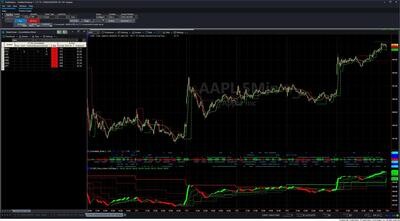
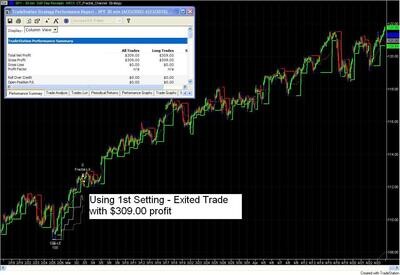
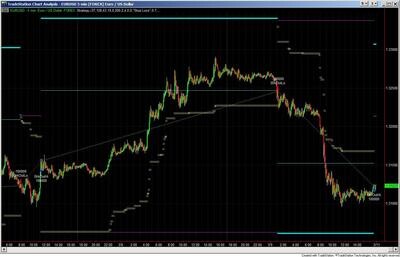
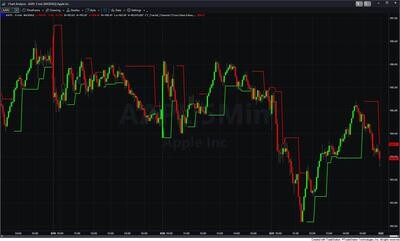
CT_Fractal_Channel is the core indicator. It plots the active fractal level on your chart — green for the support fractal during a bullish bias, red for the resistance fractal during a bearish bias. The inactive fractal is subdued. Optional features include: consolidation entry lines (breakout levels above the high fractal and below the low fractal), stop-loss suggestions (two trailing levels — a standard stop based on average historical fractal penetration, and a wider volatility stop based on worst-case penetration), and an average-range buffer that marks the zone where a test of the fractal level is within normal volatility. Alerts fire on fractal direction changes, reversals, and profit-taking signals.
CT_Fractal_Price_Action_Alert combines the fractal channel with a fast and slow price action line in a single indicator. On a chart, it gives you structure (fractal levels) and momentum (fast/slow lines — green when rising, red when falling) in one view. On RadarScreen, it outputs spread metrics — how far apart the key levels are — giving a read on trend cohesion across your watchlist.
CT_Price_Action_Dual is a standalone dual-line price action indicator (fast momentum + slow trend line) using gapless price. Line width reflects SP Harmony alignment across five smoothing periods (lengths 13, 21, 34, 55, 89) — thick when all five agree, thin when mixed, invisible (width 0) when alignment is near zero. Color: Cyan/Magenta for the fast line, Green/Red for the slow line. Alerts include fast-line crossovers, trend pullback signals, and momentum pattern setups.
CT_Oscillator is a momentum oscillator built from an AMA-based calculation with a StochRSI overlay, using gapless price to filter overnight gap noise. It runs as a subchart indicator and is designed to confirm momentum direction alongside the structural fractal levels.
CT_MTF_Price_Gapless brings gapless price action lines for eight timeframes onto one chart simultaneously — current interval, 15, 20, 30, 60, 120, 240 minutes, and daily. Each line is Green when rising, Red when falling; the current-interval line carries the SP Harmony fat-line width effect. Higher-timeframe lines appear only after 150 completed bars and are suppressed on charts wider than the timeframe. Alerts are available for price crossing the daily, 240-minute, and 60-minute lines. Requires an intraday time-based chart of 60 minutes or less.
CT_MTF_Fractal_Chann shows the fractal channel direction across nine timeframes in a single RadarScreen row — current interval (up to 5 min), 10, 15, 20, 30, 60, 120, 240 minutes, and daily. Each cell is Green when that timeframe is bullish (price above the high fractal) or Red when bearish. When multiple cells show the same color, the fractal bias is aligned across timeframes — the stronger the alignment, the higher the probability that a pullback to the support fractal will hold. Alerts fire when any actively monitored timeframe changes fractal direction. Requires an intraday time-based chart of 60 minutes or less.
CT_RS_Fractal_Chann shows where price sits within the fractal channel as a decimal from 0.0 (at the low fractal) to 1.0 (at the high fractal). Cell turns DarkGreen when price is in the support zone (position near 0.0) — the scalping entry zone for a long on a bullish-bias instrument. Cell turns DarkRed when price is in the resistance zone (position near 1.0) — the entry zone for a short on a bearish-bias instrument. Black means price is in the middle of the channel.
CT_RS_Quad_Fractal outputs four spread values in RadarScreen: the spread between the fast and slow price action lines (Dual), the spread among price/fast/slow (Price-Dual), the spread among price/fractal/fast/slow (Quad), and the distance between price and the active fractal level (Fractal). Tighter spreads indicate consolidation or an early trend setup; widening spreads indicate trend extension or volatility expansion.
CT_Market_Bias_$TICK applies an accumulation/distribution calculation to NYSE TICK data, producing a smoothed directional bias line. Color codes: Green (AccDist rising and above trigger), DarkGreen (rising but below trigger), Red (falling and below trigger), DarkRed (falling but above trigger). Apply to a chart of the $TICK symbol. Values before 10:30 AM are early-session estimates only — the calculation resets at 9:30 AM.
CT_Market_Bias_Diff calculates the spread between two breadth series — typically NYSE TICK ($TICK) minus NASDAQ TICK ($TICKQ) — and smooths the result. When the line is above zero, NYSE breadth is outpacing NASDAQ breadth (broad market long bias). Below zero, NASDAQ selling is dominant. Requires Data1 as the primary chart symbol, Data2 as $TICK, and Data3 as $TICKQ.
CT_Sharpe_Ratio_Scan calculates a rolling Sharpe ratio for each symbol in RadarScreen or Scanner. A higher score means the instrument has moved more in proportion to its daily fluctuation — it is trending efficiently with less chop. Supports two independent date-offset lookback windows so you can compare current Sharpe performance against a prior period. Best on daily charts with at least one year of history.
CT_RS_Position_Size calculates how many units (contracts or shares) to trade based on your account balance, risk percentage, and a range-based stop distance. Displays units to trade, stop distance in ticks/pips, and stop distance in dollar value. Set CurrentBalance and AccountPercentage (default 1%) before the session and leave them fixed — changing mid-session distorts the display.
CT_RS_Forex_Pip_Spread displays the current bid/ask spread in pips for each forex pair on the RadarScreen. Use it to avoid entering tight-target trades on pairs with temporarily elevated spreads during news events or low-liquidity windows.
CT_TL_Trader is the execution strategy that converts your chart-based entry signals into real market orders, limit orders, or stop orders with defined risk parameters via the TradeStation order management system. Once a position is open, CT_TL_Trader manages the trade automatically — adjusting stops and executing exits — freeing you to find and enter the next setup while existing positions run. A TradeStation brokerage account is required for live order execution.
A typical scalping session flows as follows:
How many components are included?
14: five chart indicators (CT_Fractal_Channel, CT_Fractal_Price_Action_Alert, CT_Price_Action_Dual, CT_Oscillator, CT_MTF_Price_Gapless), six RadarScreen indicators (CT_MTF_Fractal_Chann, CT_RS_Fractal_Chann, CT_RS_Quad_Fractal, CT_Market_Bias_$TICK, CT_Market_Bias_Diff, CT_Sharpe_Ratio_Scan), two trade management RadarScreen tools (CT_RS_Position_Size, CT_RS_Forex_Pip_Spread), and one execution strategy (CT_TL_Trader).
How is this different from the MTF Trend Trading System?
Both systems use multi-timeframe Fractal Channel analysis, but they are optimized for different trading styles. The Scalper Day Trading System is built for high-frequency intraday trading — finding and executing multiple short-duration trades per session with rapid scan-to-execution workflows. The MTF Trend Trading System is designed for capturing larger directional trend moves over longer durations, applicable to both day trading and swing trading.
Can I manage multiple simultaneous trades with this system?
Yes — this is one of the primary design goals. CT_TL_Trader manages each open position automatically once you enter, handling stop adjustments and exits without requiring your active attention. This frees you to find and enter the next setup while existing positions are managed by the automation.
What does CT_RS_Fractal_Chann tell me?
It shows where price sits within the current fractal channel on a 0-to-1 scale: 0.0 = at the low fractal (support), 1.0 = at the high fractal (resistance). A DarkGreen cell means price is in the support zone on a bullish-bias instrument — the scalping entry zone for a long. A DarkRed cell means price is in the resistance zone on a bearish-bias instrument.
Do I need a TradeStation brokerage account?
For live automated order execution via CT_TL_Trader, yes. All chart and RadarScreen indicators can be used for analysis without a brokerage account, but CT_TL_Trader requires a connected TradeStation account to place and manage live orders.
What is your refund policy?
All sales are final. Review our product documentation and the Learning Center before purchasing. If you have a technical issue after purchase, contact [email protected].


Our indicators and trading systems are built by active traders, not software developers — every tool in this library exists because we needed it ourselves. That means each product solves a specific, real-world trading problem: the Fractal Channel Indicator gives you non-repainting support and resistance based on actual price structure, the MTF Price Action Indicator Set eliminates the need to manually correlate multiple charts, and the Risk Reward Indicator automates stop placement and position sizing on every trade.
Every indicator is built around multi-time-frame confirmation — the single most reliable edge available to independent traders. Our MTF suite covers RSI, MACD, ADX, Stochastic, VWAP, Floor Trader Pivots, and Fractal Channel, all displaying multiple time frames simultaneously on a single TradeStation chart. When a signal is confirmed across four, six, or eight time frames at once, the probability of a successful trade improves significantly over any single-time-frame analysis.
Our complete trading systems — the Trend Rider, Scalper Day Trading System, MTF Trend, Counter Trend, and MTF Consolidation Breakout — go beyond individual indicators. Each system combines RadarScreen scanning, multi-time-frame analysis, chart-based execution, and automated exit management into a fully integrated workflow. Your computer does the scanning; you make the trading decisions.
All products are instant digital downloads for TradeStation 10 and later, compatible with any market and any chart type. Every purchase includes a step-by-step installation guide, Learning Center video access, and email support. Future updates to all trading systems are included at no additional cost.