TradeStation Indicators & Strategies
Fractal Channels • Multiple Time Frame Price Action • Time-Based Volume
Why Choose Us?
Our indicators and trading systems are built by active traders, not software developers — every tool in this library exists because we needed it ourselves. That means each product solves a specific, real-world trading problem: the Fractal Channel Indicator gives you non-repainting support and resistance based on actual price structure, the MTF Price Action Indicator Set eliminates the need to manually correlate multiple charts, and the Risk Reward Indicator automates stop placement and position sizing on every trade.
Every indicator is built around multi-time-frame confirmation — the single most reliable edge available to independent traders. Our MTF suite covers RSI, MACD, ADX, Stochastic, VWAP, Floor Trader Pivots, and Fractal Channel, all displaying multiple time frames simultaneously on a single TradeStation chart. When a signal is confirmed across four, six, or eight time frames at once, the probability of a successful trade improves significantly over any single-time-frame analysis.
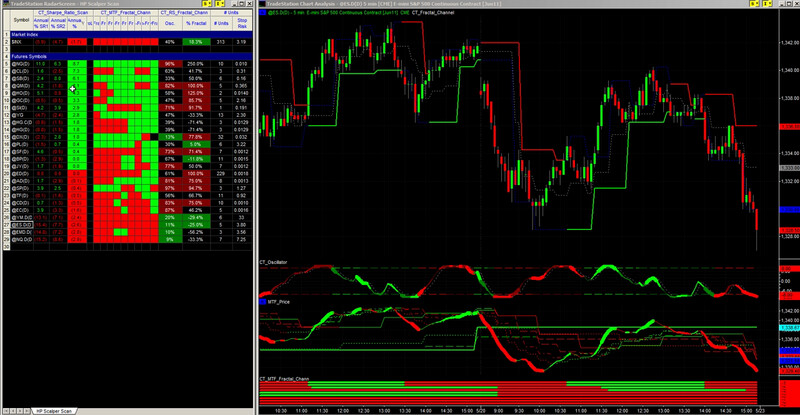
Our complete trading systems — the Scalper Day Trading System, MTF Trend, and MTF Consolidation Breakout — go beyond individual indicators. Each system combines RadarScreen scanning, multi-time-frame analysis, chart-based execution, and automated exit management into a fully integrated workflow. Your computer does the scanning; you make the trading decisions.
All products are instant digital downloads for TradeStation 10 and later, compatible with any market and any chart type. Every purchase includes a step-by-step installation guide, Learning Center video access, and email support. Future updates to all trading systems are included at no additional cost.
Frequently Asked Questions
What is a complete TradeStation trading system and how is it different from a strategy?
A TradeStation strategy handles just one part of the trade — typically the entry or exit logic. A complete trading system covers the entire process: the indicators that identify market conditions, the strategy that executes entries and manages exits, a RadarScreen setup that scans your watchlist for qualifying setups, pre-configured chart workspaces, and written trading rules. You open the workspace and everything is ready to trade — no manual configuration required.
Which TradeStation trading system is right for my trading style?
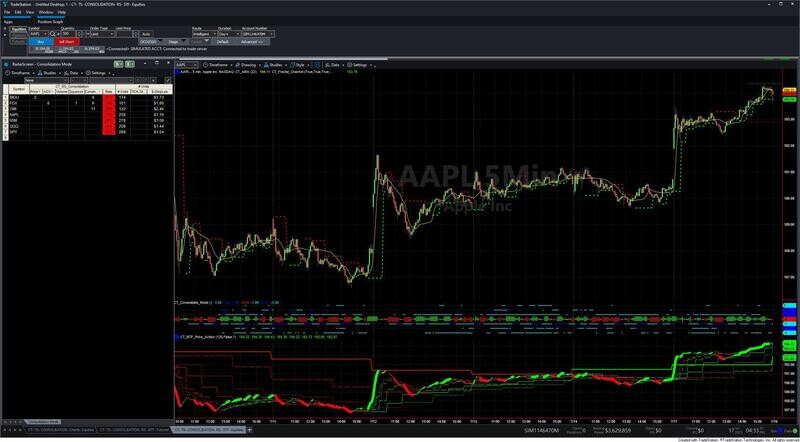
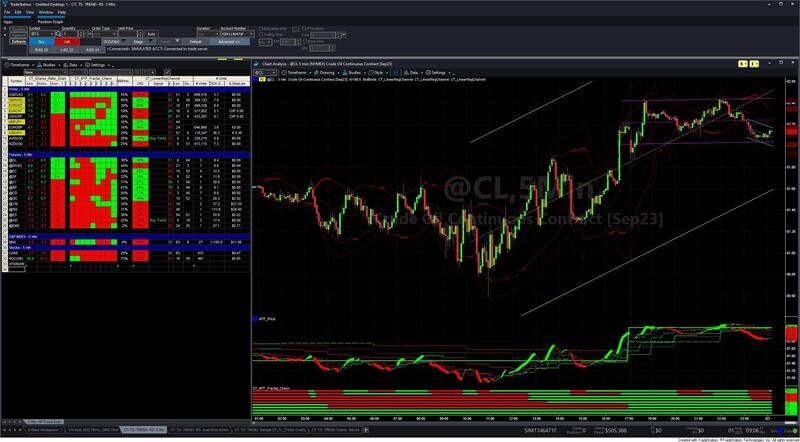
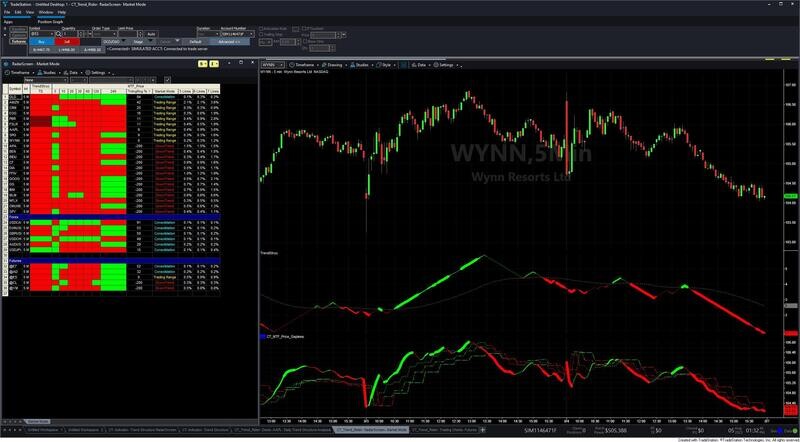
The right system depends on how you trade. The Multiple Time Frame Trend Trading System is built for traders who want to ride sustained directional moves — it uses RadarScreen to scan your entire watchlist and flags instruments where short-term and higher-timeframe trend are aligned. The Multiple Time Frame Consolidation Breakout Trading System is best for traders who target breakouts from price consolidation zones, with multi-time-frame confirmation to filter false breaks. The Scalper Day Trading System is purpose-built for active intraday traders managing multiple simultaneous positions in fast-moving markets like ES, NQ, or CL.
How does RadarScreen work with these trading systems?
RadarScreen is TradeStation's watchlist scanning tool. Instead of opening individual charts to check conditions, RadarScreen displays a row of indicator readings for every instrument in your watchlist simultaneously. The MTF Trend Trading System and MTF Consolidation Breakout Trading System both include pre-configured RadarScreen workspaces that scan your watchlist and display multi-time-frame conditions in real time — so setups come to you rather than you hunting for them across dozens of charts.
What markets can these TradeStation trading systems be used on?
All three systems work on any market that TradeStation supports with automated strategy execution — futures (ES, NQ, CL, GC), forex currency pairs, and stocks. The MTF Trend and MTF Consolidation Breakout systems include workspaces pre-configured for futures markets. The Scalper Day Trading System is specifically optimized for high-liquidity futures instruments where fast execution and tight spreads are available throughout the trading session.
Can I backtest these trading systems before trading live?
Yes. All systems are built in EasyLanguage and are fully compatible with TradeStation's Strategy Backtest and Optimization engine. You can run them against your own historical data on any instrument and time frame before trading live. Written trading rules and setup documentation are included with every system. If you want to learn the correct process for accurate backtesting — including how to configure commissions and slippage so your performance reports are not overstated — see the Strategy Testing & Position Sizing section of our Learning Center.
How do I get started after purchasing a trading system?
After purchase you will receive an instant download link for an EasyLanguage .eld file and pre-configured workspace files. Import the .eld file via File > Import/Export > Import EasyLanguage in TradeStation, then open the included workspace to get a fully configured chart and RadarScreen layout ready to trade. Most customers are up and running within 30 minutes. Future updates to the system are included at no additional cost.
Do these systems include training?
Yes. Every system includes written trading rules explaining the setup criteria, entry triggers, and exit logic. The MTF Trend Trading System and MTF Consolidation Breakout Trading System include video training covering setup, configuration, and live trading examples. For foundational education on the indicators used in these systems — including the MTF Price Action Indicator and Fractal Channel Indicator — the Customized Trading Learning Center provides a free 8-part video series covering the complete trading methodology.
